The MAONO PD400X Dynamic Microphone review comes down to a useful mix of simple USB setup and a path to XLR gear as a recording setup grows.
Its onboard controls and USB software adjustments make it a practical option for podcasters, streamers, and home recordists who want to shape their voice without starting with a separate mixer.
MAONO PD400X Review Summary
The quick verdict
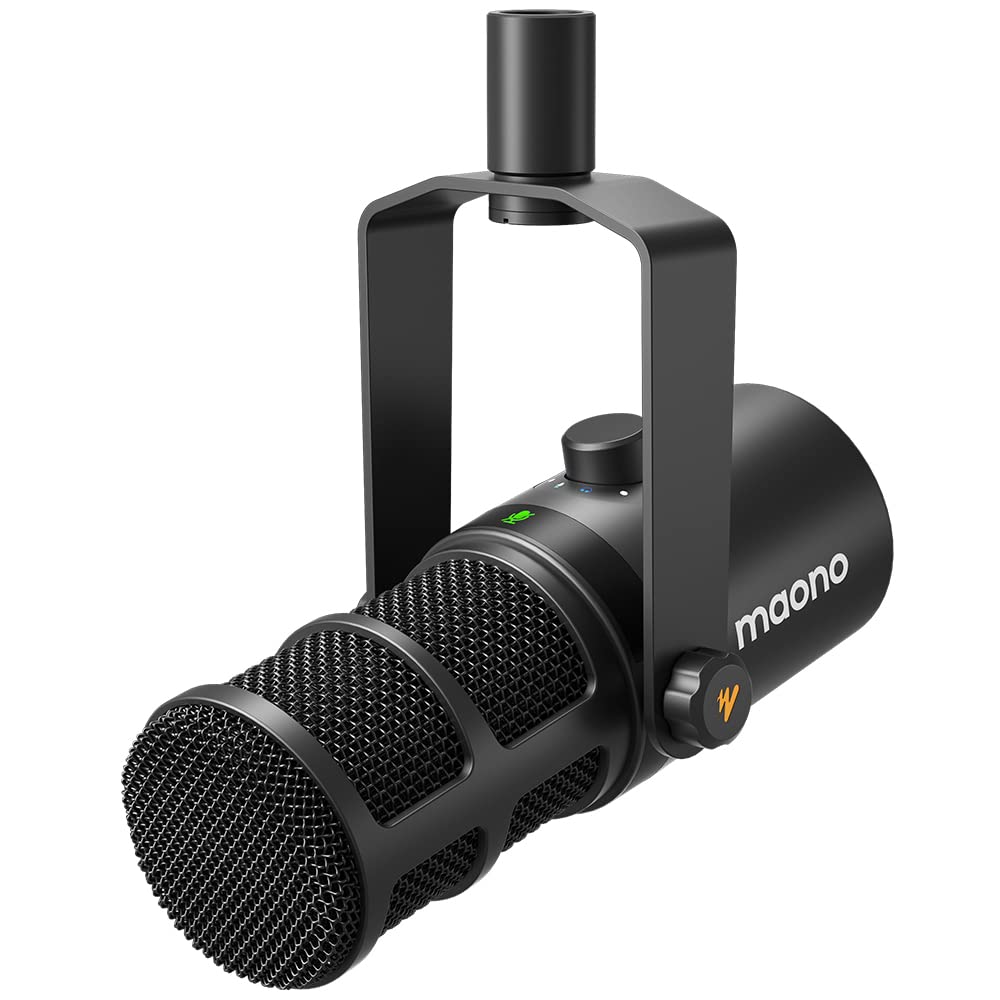
500+ ratings
Read Amazon ReviewsMAONO PD400X
A good fit for podcasters, streamers, and home recordists who want USB convenience, XLR flexibility, and hands-on audio controls.
- Dynamic microphone with a cardioid polar pattern for vocal recording, podcasting, and live streaming.
- Dual USB and XLR outputs: USB offers plug-and-play computer connection, while XLR connects to an audio interface, mixer, or portable PA system.
- Multifunction digital knob adjusts microphone gain, headphone volume, and monitor mix.
- Tap-to-mute control with an LED indicator for a quick visual cue.

Pros
- USB and XLR outputs cover both direct-to-computer use and connection to common audio equipment.
- The knob brings several useful adjustments within reach during recording or streaming.
Consider before buying
- The software adjustment features are tied to USB mode, so an XLR-based setup will not use that described software workflow.
- The product details do not specify a stand or boom arm; check what is included and what mounting hardware you need before planning the setup.
Read the full review summary
The PD400X combines a dynamic capsule and cardioid pickup pattern with USB and XLR outputs.
USB mode supports plug-and-play connection and access to MAONO Link controls, while the XLR output can connect to an interface, mixer, or portable PA system.
That gives the microphone room to serve both a straightforward computer setup and a more traditional audio chain.
A multifunction knob handles mic gain, headphone volume, and monitor mix, while a tap-to-mute control has an LED indicator. These features make the PD400X especially appealing for creators who want quick adjustments at the mic.
Its value is strongest when you will use those controls and the two connection options; buyers seeking a basic handheld mic for a PA have less reason to choose this more involved setup.
The buying factors
MAONO PD400X Scorecard
Editorial scores reflect listed features and buyer fit; they are not laboratory measurements or customer ratings.
Connection flexibility
USB supports plug-and-play computer use, and XLR connects to an interface, mixer, or portable PA.
On-mic controls
The digital knob covers gain, headphone volume, and monitor mix, with a separate tap-to-mute control.
USB sound adjustment
MAONO Link offers vocal tone and distance choices in Standard Mode, with EQ and other processing controls in Advanced Mode.
Home recording fit
A dynamic capsule and cardioid pattern suit close vocal work in a home studio or streaming setup.
Setup simplicity
USB is described as plug-and-play, while XLR gives a route to equipment-based setups.
Adaptability as a setup grows
Having both USB and XLR outputs makes it easier to change the surrounding recording chain without changing microphones.
Key Features and Specifications of MAONO PD400X
- Dynamic microphone with a cardioid polar pattern for vocal recording, podcasting, and live streaming.
- Dual USB and XLR outputs: USB offers plug-and-play computer connection, while XLR connects to an audio interface, mixer, or portable PA system.
- Multifunction digital knob adjusts microphone gain, headphone volume, and monitor mix.
- Tap-to-mute control with an LED indicator for a quick visual cue.
- USB-connected MAONO Link software includes Standard Mode vocal tone and distance options, plus Advanced Mode controls for gain, monitor mix, EQ, limiter, and compressor.
- Headphone jack supports monitoring from the microphone.
Pros and Cons of MAONO PD400X
Pros
- USB and XLR outputs cover both direct-to-computer use and connection to common audio equipment.
- The knob brings several useful adjustments within reach during recording or streaming.
- The mute control has an LED indicator, making its status easier to check at a glance.
- USB software controls offer options for shaping the vocal sound without requiring a separate hardware processor.
Consider before buying
- The software adjustment features are tied to USB mode, so an XLR-based setup will not use that described software workflow.
- The product details do not specify a stand or boom arm; check what is included and what mounting hardware you need before planning the setup.
- The number of controls and software options may be unnecessary if you only need a basic mic for occasional speech or karaoke.
Who Should Buy MAONO PD400X?
Good fit
Consider the PD400X if you record podcasts, voice tracks, or streams at a computer and want physical control over gain, monitoring mix, and headphone volume.
The tap-to-mute control can also be useful when you need to cut the mic quickly during a live session or call.
It is also a sensible choice if you expect to move from a USB setup to an interface or mixer later.
The XLR output gives you that option, while USB mode provides the software adjustments for creators who want to tune their vocal sound at the computer.
Who should skip it
Choose a simpler handheld microphone if your main use is occasional karaoke or speech through a PA and you do not need computer software, headphone monitoring, or multiple on-mic controls.
If your workflow is entirely XLR-based and depends on shaping sound through MAONO Link, confirm that your intended adjustments are available through your audio equipment instead; the software features described here apply in USB mode.
How the MAONO PD400X Fits a Creator Setup
USB convenience with an XLR route
The dual outputs let the PD400X serve different stages of a creator's setup. USB is the direct route to a computer, while XLR connects the microphone to an interface, mixer, or portable PA.
That flexibility matters most if you expect your recording chain to change over time; if you already have a fixed setup, choose the connection that works with your equipment and plan around it.
Controls that make sense at the mic
A single multifunction knob handles gain, headphone volume, and monitor mix, with tap-to-mute alongside it. Keeping these adjustments on the microphone can make routine changes more convenient during a recording or stream.
The LED indicator offers a quick visual check of mute status, though it is still sensible to confirm your recording or streaming software is receiving the signal you intend.
Software control is a USB feature
MAONO Link provides two levels of adjustment when connected by USB. Standard Mode offers vocal tone and distance choices, and Advanced Mode includes gain, monitor mix, EQ, limiter, and compressor settings.
This gives USB users room to customize their setup, while buyers planning to use XLR should decide how they will handle sound adjustments in the rest of their signal chain.
A directional design for vocal work
The dynamic capsule and cardioid pattern make the PD400X a natural fit for focused vocal uses such as podcasting, home recording, and streaming.
A cardioid mic is intended to emphasize sound from its front, so placement and speaking direction matter: position yourself toward the microphone and test the setup in your room.
The design can help with unwanted surrounding sound, but room conditions and mic placement still affect what reaches the recording.
Alternatives to MAONO PD400X
Vocal Dynamic Microphones alternative
6,000+ ratings
Read Amazon ReviewsFIFINE AmpliGame AM8T
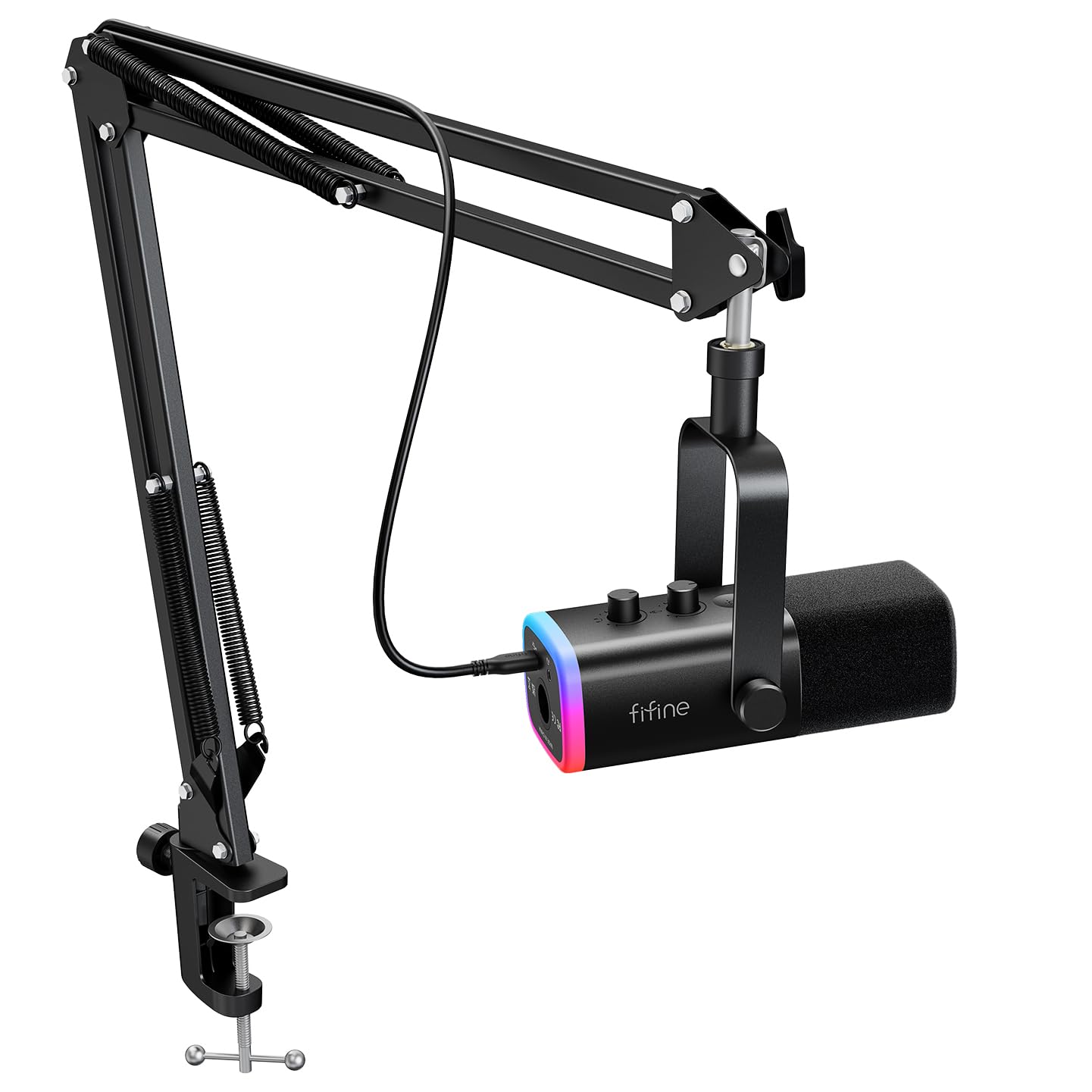
Consider the AM8T if an included boom arm and customizable RGB lighting are priorities for your streaming desk.
The PD400X is a better fit if you prefer its three-function knob and MAONO Link vocal adjustments over those included setup and lighting features.
- The FIFINE AM8T also offers USB and XLR, and includes a boom arm, customizable RGB lighting, mute control, gain knob, and headphone monitoring.
- Its described package includes a USB cable but not an XLR cable.
- The MAONO PD400X offers USB and XLR outputs, a multifunction control for gain, headphone volume, and monitor mix, and MAONO Link adjustments in USB mode.
Vocal Dynamic Microphones alternative
2,000+ ratings
Read Amazon ReviewsMAONO PD200XS
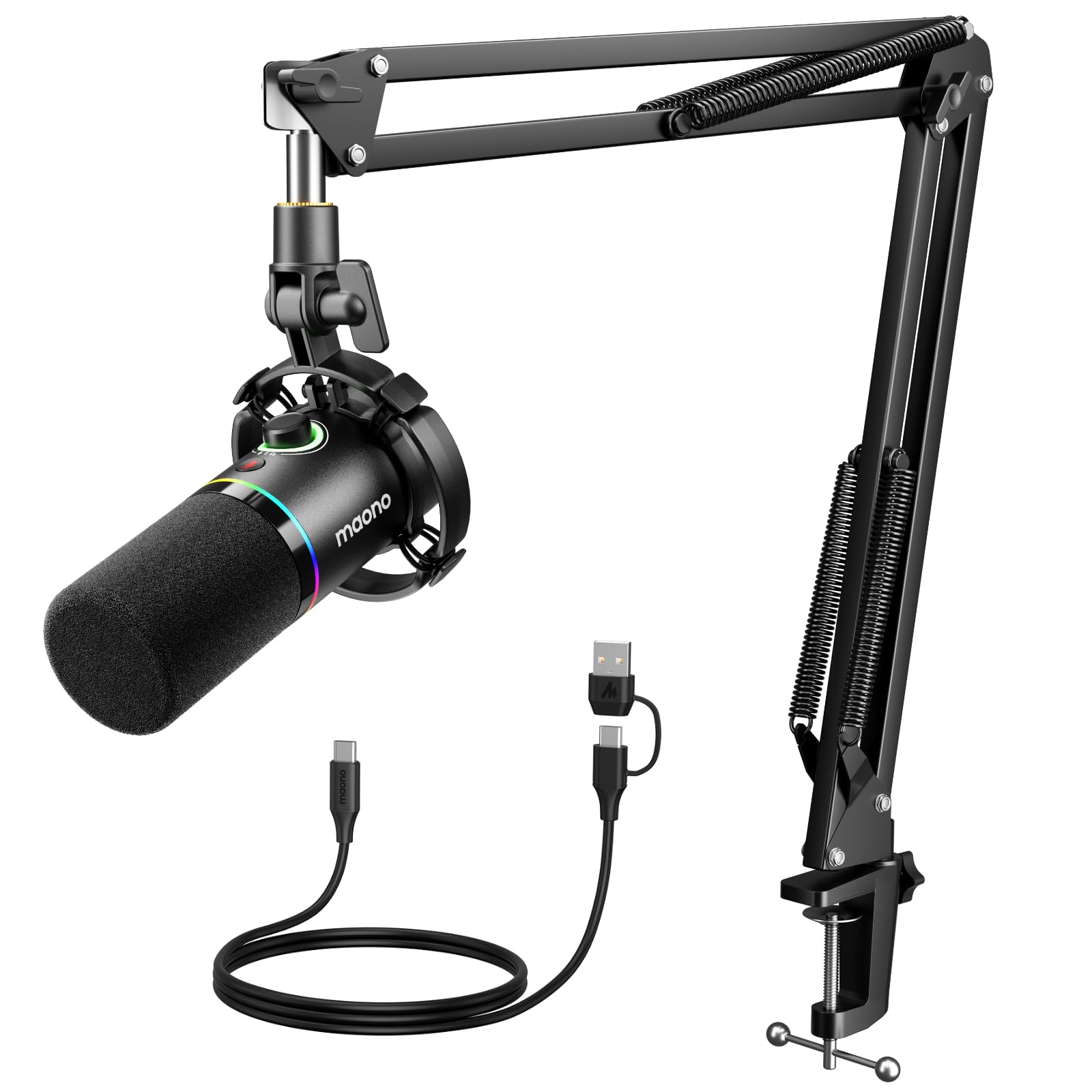
Consider the PD200XS if you want a described kit that includes an adjustable boom arm and shock mount along with software control.
The PD400X may suit you better if you want its specific multifunction knob for gain, headphone volume, and monitor mix.
- The MAONO PD200XS also has USB and XLR, MAONO Link controls, and a mute key, and its described kit includes a microphone boom arm, shock mount, and USB cable.
- Its software controls are available in USB mode.
- The MAONO PD400X offers USB/XLR connectivity and USB software controls for vocal tone, EQ, limiter, and compressor settings.
Is MAONO PD400X Worth It?
The MAONO PD400X is worth considering for creators who want one dynamic microphone to cover computer-based recording now and a possible XLR setup later.
Its practical appeal comes from the connection choices, accessible controls, and USB software adjustment options.
Before buying, check your mounting needs and decide whether you will use the microphone through USB or XLR most often.
The software features are for USB mode, and the product details do not specify included mounting hardware, so make sure the rest of your setup matches your intended workflow.
Your review at a glance
500+ ratings
Read Amazon ReviewsMAONO PD400X
A good fit for podcasters, streamers, and home recordists who want USB convenience, XLR flexibility, and hands-on audio controls.
- Dynamic microphone with a cardioid polar pattern for vocal recording, podcasting, and live streaming.
- Dual USB and XLR outputs: USB offers plug-and-play computer connection, while XLR connects to an audio interface, mixer, or portable PA system.
- Multifunction digital knob adjusts microphone gain, headphone volume, and monitor mix.
- Tap-to-mute control with an LED indicator for a quick visual cue.